Capture the commitment
Bring the important request out of the busy thread.
✉ Alex · Atlas Studio
“Can you share the updated landing page by Friday?”
Share updated landing pageFriday
Suggested owner: Linh · Source attached
Turn client emails and meeting notes into clear commitments,
owners, and follow-ups your team can approve.
Designed around the tools and conversations agencies already use
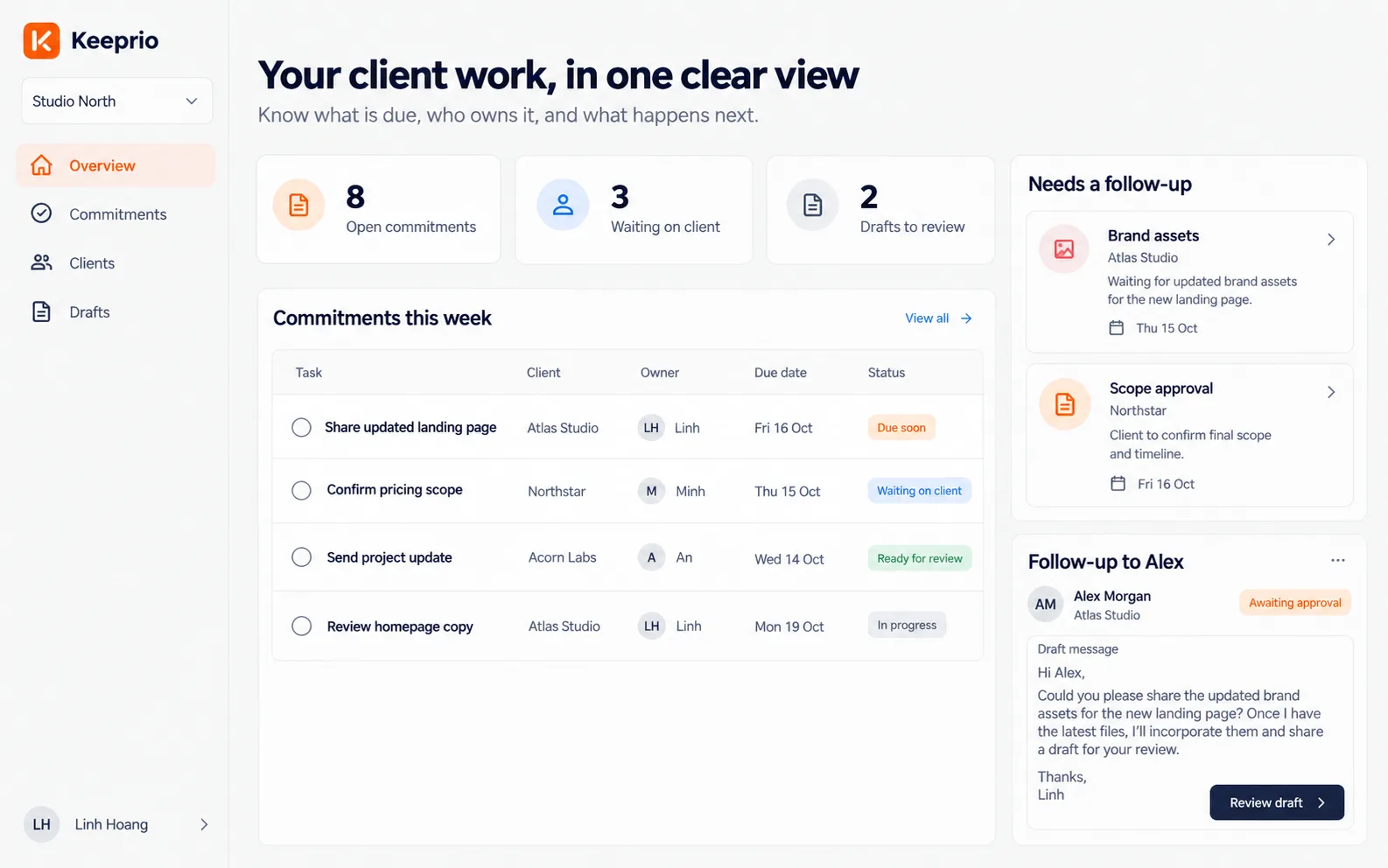
Know what was promised, who owns it,
and what needs a follow-up.
Bring the important request out of the busy thread.
See the waiting work before it becomes a blocker.
Every promise gets a person and a next step.
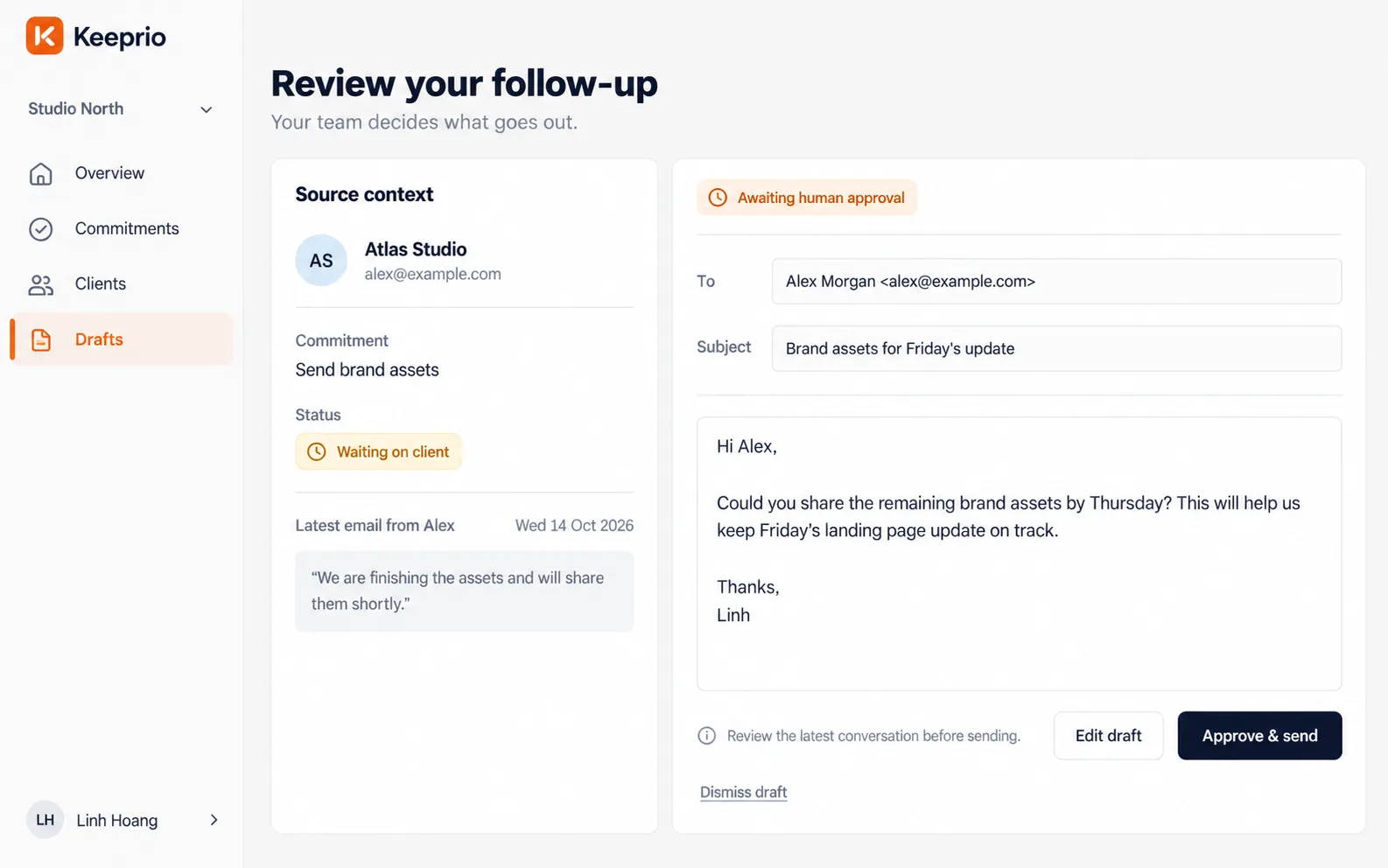
A helpful draft, with your team in control.
Your team reviews suggested actions before sending. Learn more
A simple rhythm for the work between client conversations.
Start with a client email or pasted meeting notes. Keeprio proposes clear commitments while keeping the original context close.
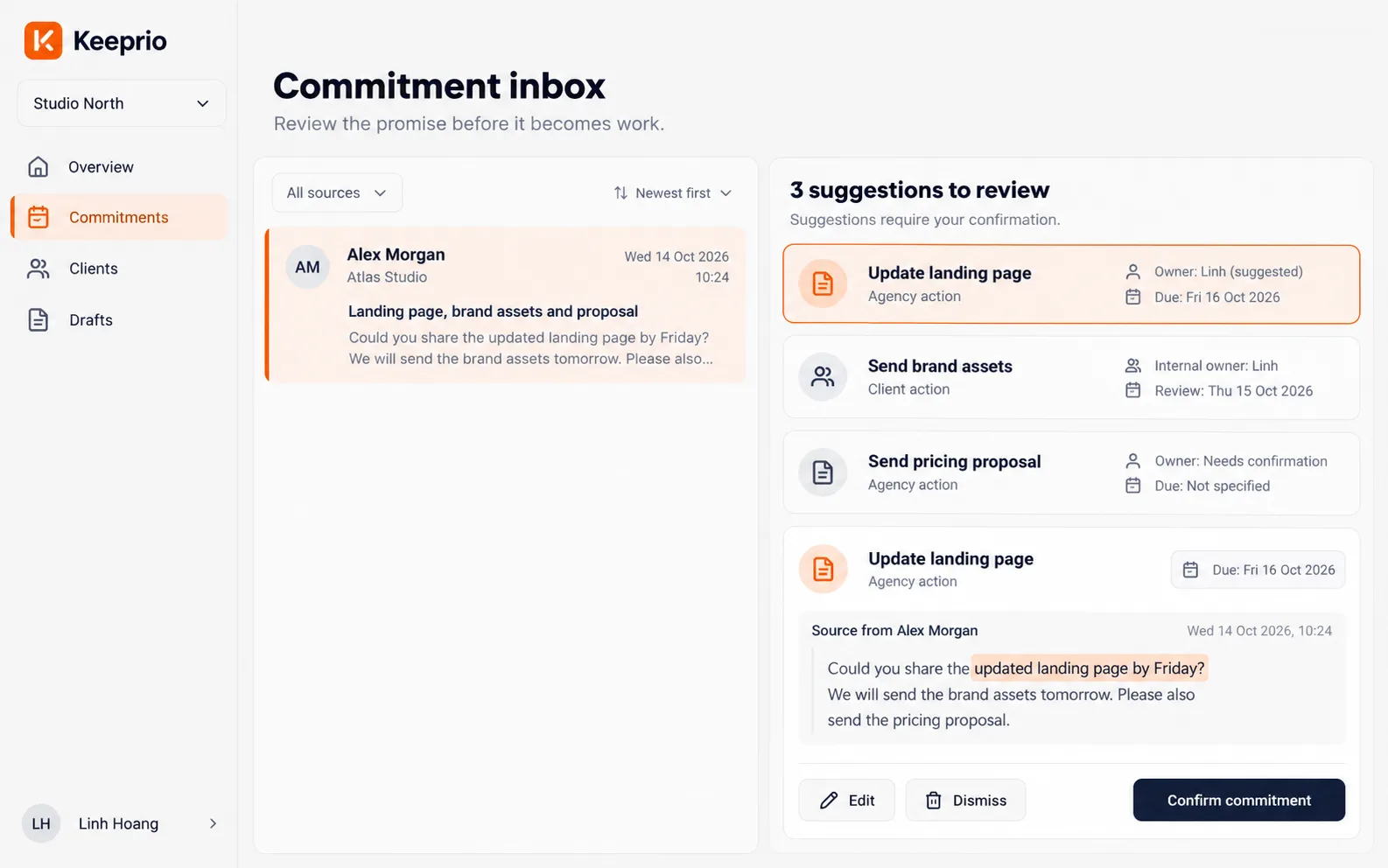
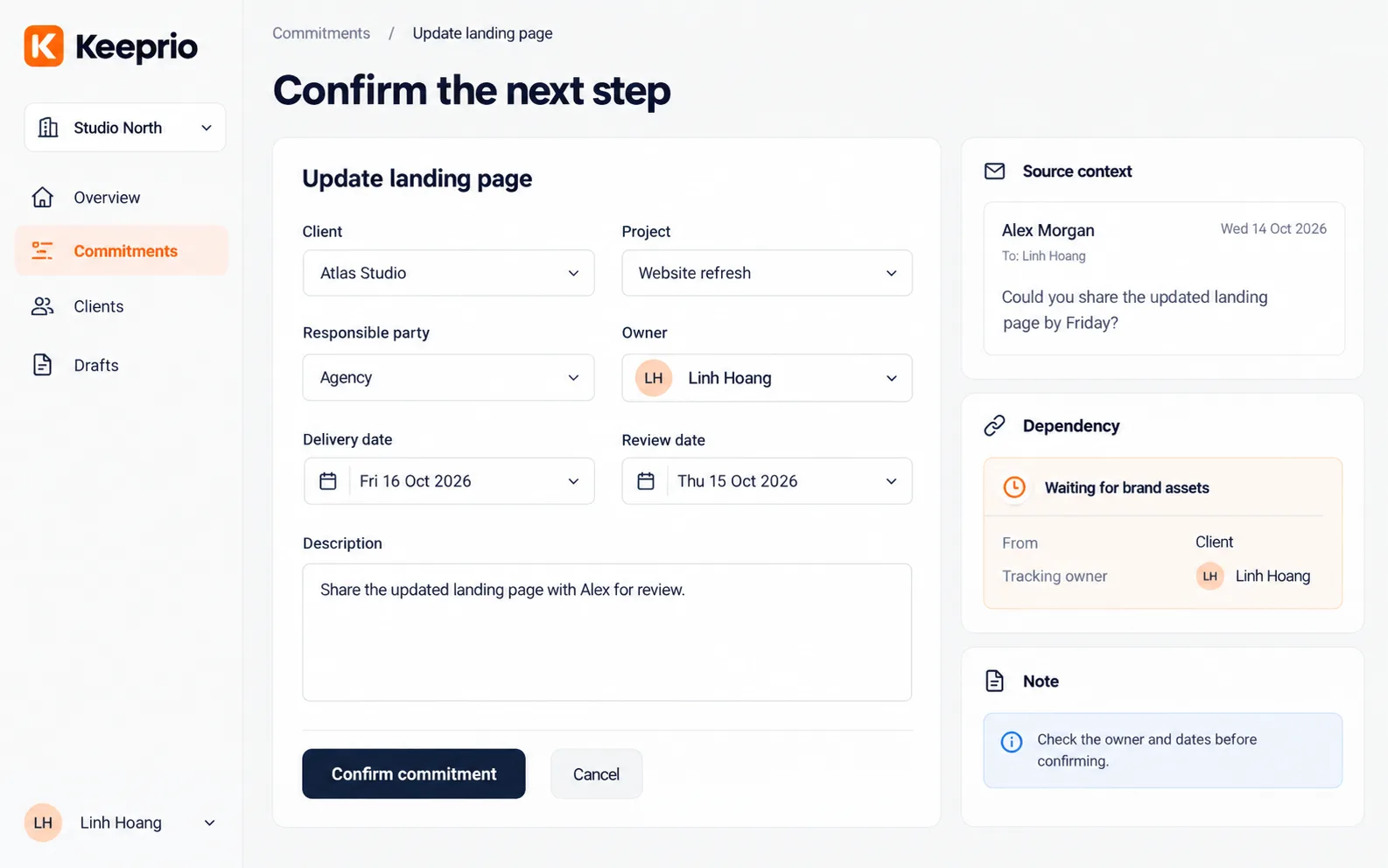
Turn a suggestion into a shared agreement. Confirm who owns the work and when the next step should happen.
When work needs a nudge, review a proposed reminder or email draft. Your team decides what goes out.
Click through the current internal build, from the first email to the approved follow-up.
See what is due, who owns it, and what is waiting on a client, with the next follow-up ready to review.
The small handoffs that keep agency projects moving.
The project is ready. The files aren't. Keep the dependency visible and prepare a useful nudge.
Next step: review a follow-upTurn a promising conversation into clear deliverables, owners, and dates your team can confirm.
Next step: confirm commitmentsKeep the next update close to the actual work, instead of rebuilding the story from scattered threads.
Next step: prepare an updateBuilt for real agency workflows.
A better way to keep the next promise.
Get a feel for the workflow before applying to the pilot.
Help test the idea against the way your team really works.
Start with one client promise that is difficult to track today.
Clear answers about Keeprio and the pilot.
Software agencies and IT service teams that manage client requests, deliverables, and recurring follow-ups.
Keeprio works from client emails and pasted meeting notes.
No. Keeprio focuses on commitments and follow-through around client conversations. Pilot feedback helps define how it fits alongside the tools you already use.
No. The workflow requires a person to review and approve sending. Nothing is sent without that approval.
Keeprio is currently in internal testing, and pilot spots are limited. Scope and availability are agreed with each agency before onboarding.
Yes. Human confirmation of suggested tasks, owners, and deadlines is part of the product. Suggestions never silently become confirmed work.
Access and retention details will be shared with you before onboarding. This page does not connect to your email or upload client data.
Use the “Join the pilot” form to tell us about your team and your biggest follow-up challenge. We will follow up about fit.
Help shape a calmer way to manage commitments,
from the first request to the next follow-up.